Lead response
Capture inquiries, prioritize them against agreed criteria, and prepare a relevant follow-up.
Forms → Qualification → Follow-up
 cadentideLet’s talk
 AI WORKFLOW STUDIO
Turn scattered inquiries and repetitive admin into connected workflows. We build practical automation around the way your business works.
Start with one process. Keep people in control.
Hi Alex,
Thanks for sharing how your team handles incoming inquiries. Let’s look at where qualification and follow-up could be simpler.
n8n
Google Workspace
OpenAI
Your existing process
01 / THE WORK WE CONNECT
Start where work repeats, information gets retyped, or a follow-up depends on someone remembering.
Capture inquiries, prioritize them against agreed criteria, and prepare a relevant follow-up.
Answer routine questions from approved knowledge and move uncertain requests to a human.
Bring requests, confirmations, and reminders into a clear scheduling process.
Turn invoice fields into structured records, with a review queue for missing or uncertain values.
02 / SEE THE POSSIBILITIES
Explore four interactive previews using sample data. These previews run in your browser; they don’t call an AI model, send email, or change a business system.
Choose a sample or adjust the qualification inputs. This preview uses fixed BANT rules.
Your live workflow can use AI for interpretation and tailored copy, with an approval step before sending.
Try one of the questions or ask your own. This preview searches four fixed sample FAQs.
FAQ-001 · Approved services answer
A client implementation uses the business’s approved content. Unknown questions go to a human queue.
Choose a sample slot to preview the confirmation and reminder schedule.
Simulated availability in UTC. No calendar is checked and no appointment is booked.
Your confirmation will appear here.
Calculated after you select a slot.
Live deployment needs calendar access, a final availability check, and a persistent reminder schedule.
Preview structured fields from a synthetic invoice. Compare a complete example with one that needs attention.
Discovery workshop $800.00
Implementation planning $498.00
Pending review before any accounting action.
This is a fixed example, not OCR. Your implementation can extract uploaded PDFs and images with a vision-capable model.
CONNECTED DEMOS / LOCAL TEST EVIDENCE
These n8n demos have been connected and tested locally using synthetic data. They are available for a guided walkthrough. The interactive previews above remain browser simulations.
BANT rules score the enquiry. Local AI drafts a response. Google Sheets records the lead. A self-test verified follow-up and owner-alert delivery to our own inbox.
Human review is enabled. No client results or revenue claims.
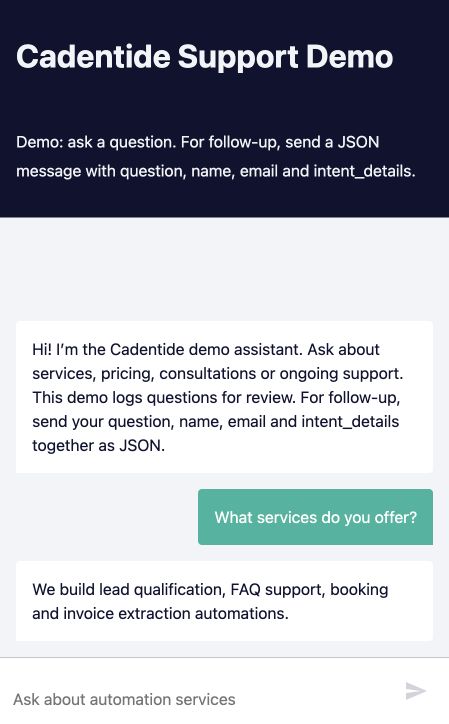
Live chat and webhook tests covered FAQs, pricing, contact capture and human fallback. Approved answers and contact requests are recorded in Sheets.
Stateless demo; team follow-up is a queue, not an automatic transfer.
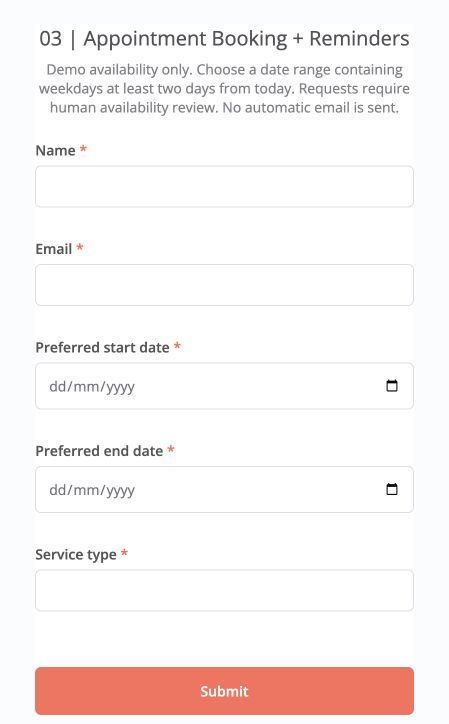
Slot selection and Sheets logging are tested. A synthetic event was created in a dedicated Google Calendar. No-slot ranges receive a clear result.
Availability is simulated. Confirmation and reminder delivery are not yet verified end to end.
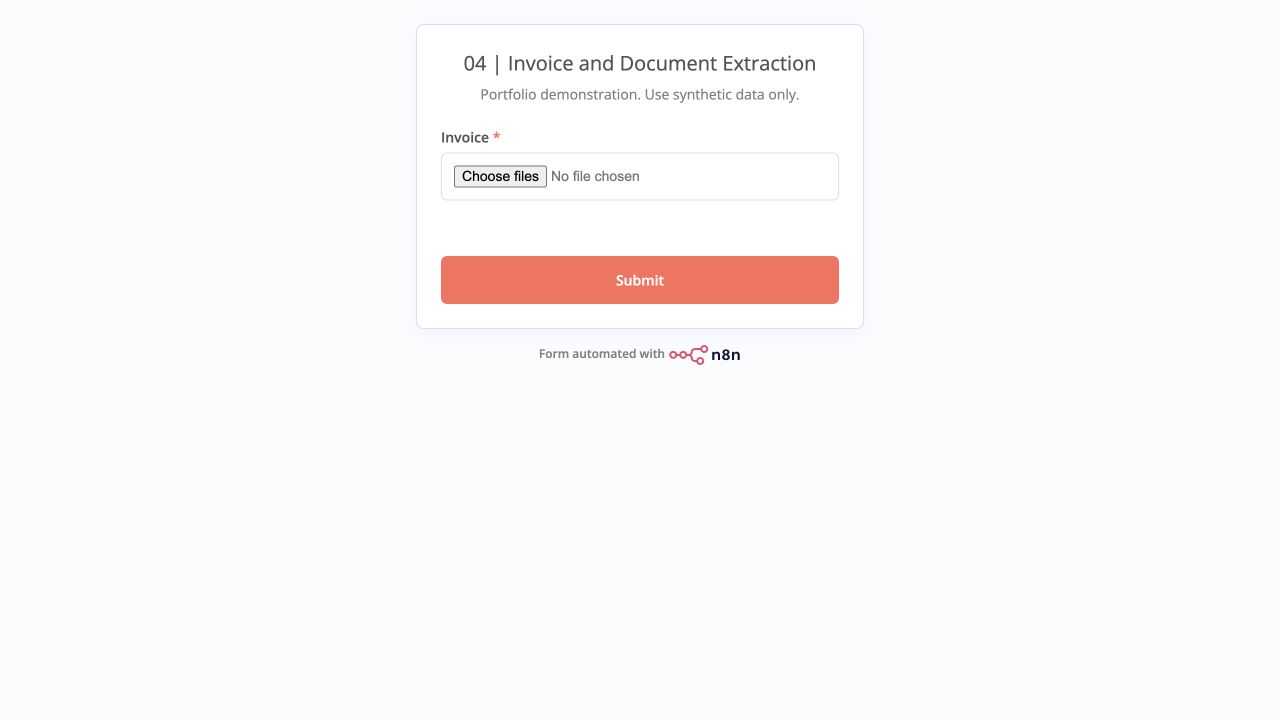
Local OCR and AI extracted the expected fields and line items from sample PDF and PNG invoices, then logged them to Sheets.
Human verification required. Other layouts and file types need further testing; no payment is authorized.
03 / HOW WE WORK
A useful automation starts with a process people understand. We agree on the outcome, the exceptions, and where your team stays involved.
Understand the repeated work, current tools, volume, and exceptions. Establish a baseline before estimating value.
Build one bounded workflow with agreed test cases and human review. Verify the integrations before switching on live actions.
Hand over the workflow and operating guide. Agree on monitoring, ownership, and support before going live.
04 / START SMALL. BUILD FROM THERE.
Map one process, identify the useful automation opportunities, and define what a pilot should prove.
Discuss a process ↗One workflow, agreed integrations, bounded usage, acceptance tests, and a documented handover.
Scope your pilot ↗Monitoring, incident review, maintenance, and a defined allowance for changes after implementation.
Discuss ongoing support ↗Every engagement is scoped before quoting. Third-party subscriptions, API usage, and changes outside scope are agreed separately.
A FEW GOOD QUESTIONS
Usually, the starting point is connecting what you already use. We confirm API access, permissions, and any limitations during scoping.
No. Rules and conventional integrations are often the right choice. AI is useful where the task needs interpretation, drafting, or document understanding.
Yes. Approval and exception handling can be part of the agreed design, particularly for customer messages and uncertain extracted data.
No. These are portfolio demonstrations built with synthetic data. They illustrate the workflow and its controls; they are not claims of customer results.
Your current process, the tools involved, approximate monthly volume, a few anonymized examples, and a person who can approve the workflow.
LET’S FIND THE USEFUL FIRST STEP
Tell us about one repetitive process. We’ll use that context to discuss a focused next step.
Email the studio ↗